
Inhalt/Content
Change Notes
Version 9.3
Disabling automatic recording on a per-agent basis
Effective immediately, individual agents can be specifically excluded from automatic call recording. This allows for even more flexible implementation of data protection and compliance requirements.
What has changed?
- A new option, “Disable Automatic Recording,” is now available in the user settings (Call Connector app tab)
- Automatic recording remains enabled by default
- If automatic recording is disabled for an agent, all call segments in which that agent is involved will not be recorded
Important details:
- This also applies if:
- automatic recording is enabled in the queue
- the caller has consented to the recording
- For call transfers, the system also takes into account whether recording is permitted for the agent involved
- If automatic recording is disabled:
- no transcripts will be generated for the corresponding call segments
Unchanged:
- The option for manual recording (provided the user is authorized) remains available and is not affected by this setting
Benefits:
- Targeted exceptions for individual employees
- Improved compliance with data protection requirements at the individual level
- Greater flexibility for different roles and usage scenarios
This extension ensures that companies can precisely control when and for whom calls are recorded. This can be useful, for example, when external agents are subject to different privacy policies or contractual agreements and recording is therefore not permitted.
Advanced settings for controlling manual call recordings at the agent level
Previously, it was possible to specify whether manual call recording could be controlled at the client and category levels. This capability has now been expanded.
What has changed?
- In addition to the existing settings, you can now specify directly at the agent level whether an agent is allowed to start or stop a call recording on their own
- The existing call recording permission now also takes this new agent-level setting into account
How does the control work?
- Whether an agent is allowed to control recording depends on the interaction of three levels:
- Client
- Category
- Agent (new setting)
- As a general rule:
- If control at the agent level is permitted, the agent can control the recording—even if other settings are not configured
- If control at the agent level is explicitly disabled, no control is possible
- Settings at the client and category levels remain in effect and can also allow or restrict the function
Benefits:
- More personalized control at the employee level
- Greater flexibility for different roles or requirements
- Better alignment with data protection and compliance requirements
This enhancement enables more targeted and granular control over which agents are permitted to actively influence call recordings.
Expanded permissions for downloading call recordings
Effective immediately, the ability to download call recordings can be specifically restricted. This helps ensure better compliance with data protection and security requirements.
What has changed?
- The download function for call recordings can now be disabled separately for agents and supervisors
- If the function is disabled, the download option will no longer be displayed in the user interface
- Permissions have been expanded to clearly distinguish between “Download allowed” and “Download not allowed.”
Configuration:
- For agents: Setting in the “Recordings” tab of the phone system instance
- For supervisors: Controlled via a new, separate permission setting (Call Recordings Tab (File Download))
Benefits:
- Greater control over access to sensitive call content
- Support for compliance with data protection policies
- Reduced risk of unintended data exports
This update allows you to specify that call recordings can only be viewed within the system and cannot be downloaded locally.
Display the transcript in a new Call Info tab
With this release, a new “Transcript” tab is introduced in the Call Info area. It extends the previous display of voice bot dialogs by providing a consolidated view of all conversation flows (voice bot and agent).
New “Transcript” Tab:
A new “Transcript” tab is now available in:
- iAGENT Supervisor Backlog
- iAGENT Advanced Search (Supervisor & Desk)
- iAGENT Desk phone ticket
The tab is always displayed if the call has been answered – even if no transcript is available.
Display of Conversation Flows:
- All dialog steps are displayed (if the transcription feature is enabled), including:
- Voicebot interactions
- Conversations between agent and customer
- If a call consists of multiple conversation segments, they are displayed sequentially.
Scrolling and Refresh Behavior:
- Automatic scrolling: New transcript content is automatically shown (auto-scroll to bottom)
- Manual scrolling: Users can scroll at any time
- Refresh intervals:
- iAGENT Desk: every 5 seconds
- Supervisor: every second
- A single, central scrollbar is used for the entire tab (no separate scroll areas per conversation segment)
Permissions and Visibility:
-
For agents, the logic corresponds to the existing recording tab:
- Configuration is done per phone system instance (tab “Recording/Transcript”)
- Available options:
- Visible
- Only own transcripts
- Not visible
-
For supervisors, the “Transcript” tab is always visible
Version 9.2
Configuring the phone number to be displayed for outgoing calls
You can configure the phone number to be displayed at the destination (CLIP) for a specific tenant or category.
To do this, you must first enable the new “Advanced Features” for outgoing calls in the “Call Connector App” tab. Once enabled, you can then enter the phone number you want to display at the destination.

Version 9.1
Agent-specific call recordings
It is now possible to restrict agents’ access to call recordings so that they can only view recordings of calls or parts of calls (in the case of forwarded calls) in which they themselves were involved. To do this, select the “Own Recordings only” setting in the drop-down menu under “Visibility of Recordings for Agents” in the configuration of the Telephone System Instance.
Version 9.0
Limiting the number of IVR Environments
As very large amounts of data, for example based on a large number of IVR environments, can cause the connection to the novomind iAGENT Call Connector to be terminated, the maximum number of IVR environments was limited to 50. If the limit has been reached, this is indicated to the user with a corresponding message in the interface. At the same time, the button for adding a new environment is deactivated.
End date for the validity of IVR Environments can be defined
In addition to a start date, it is also possible to define an end date (valid until) for an IVR environment.
Environments whose validity has expired are marked with a yellow exclamation mark.
Display Silent Monitoring status in novomind iAGENT Desk
It is now possible to indicate to the agent that the current call is being monitored by a supervisor.
The configuration can be made per user, category, client and globally (priority decreasing).
If the function is activated, the silent monitoring status is displayed to the agent in a banner notification in the novomind iAGENT Desk. The user is informed in which Silent Monitoring mode (“Listening” or “Whispering”) the supervisor has been activated and the name of the respective supervisor is also displayed. The banner disappears when silent monitoring is ended.
The display of the user’s Silent Monitoring status can be activated in the Call Connector app.
Version 8.4
IVR Environments
With the development of the so-called “IVR environments”, we have eliminated some important functional limitations with regard to working with the novomind iAGENT Flow Designer and significantly improved the practical benefits for users. Any number of IVR environments can now be created and operated in parallel under “Telephone System Plugins” in the novomind iAGENT Supervisor.
Until now, it was the case that
- the visibility or editability of the IVR flow could only be restricted on the basis of the novomind iAGENT group assignment
- only one IVR flow could be activated at a time
- a newly added or changed IVR flow could not be tested under “real” conditions by means of a voice call on the IVR without affecting the current “live” call flow in the IVR
With regard to the previously mentioned points and weaknesses in our IVR setup, a remedy has now been found with the development of our IVR environments.
The most important optimization here is that any number of IVR environments can now be created and operated in parallel for each novomind iAGENT telephone system instance. In this regard the environments have the following properties:
- Each IVR environment can be assigned to one or more clients, so that a Supervisor assigned to one of the clients,
- can only see flows that are assigned to this (or no) client
- can only exchange flows with environments that are assigned to this client
- A dedicated IVR call flow is assigned to each IVR environment via the graphical user interface
- Each IVR environment can be assigned conditions as to when it should be triggered (e.g. based on a specific caller number, a specific service number or on a specific date in order to automatically activate or deactivate flows at specific times).
Configuartion and display of redialers
On the configuration screen of the so-called Call Connector App in the novomind iAGENT Supervisor, the definition of a redialer can be stored.
In addition to the number of incoming calls (default value: 2 calls), the time period (default value: 30 minutes) can also be defined. With the default settings, a second incoming call from the same contact within 30 minutes would be counted as a redial.
In novomind iAGENT Desk, in the event of an incoming call, the service employee is shown on the “Call” tab under “Course” whether or not the incoming call is a redial according to the configuration described above.
Permanent Silent Monitoring
The Supervisor now has the option of permanently monitoring an agent in Silent Monitoring without having to request a new monitoring for each call.
For this purpose, a checkbox has been added to the dialog to start monitoring in order to ensure a permanent monitoring.
If this checkbox is activated, the reservation is automatically set again by this Supervisor for the agent concerned after a monitoring session. The maximum permanent reservation duration is set to 24 hours.
Version 8.2
Reason for termination of call disconnection by the IVR
If a call was disconnected by the IVR system, the call history previously indicated that the call was ended by the agent. At this point, it is now correctly stated that the call was ended by the IVR.
Default category for incoming direct calls
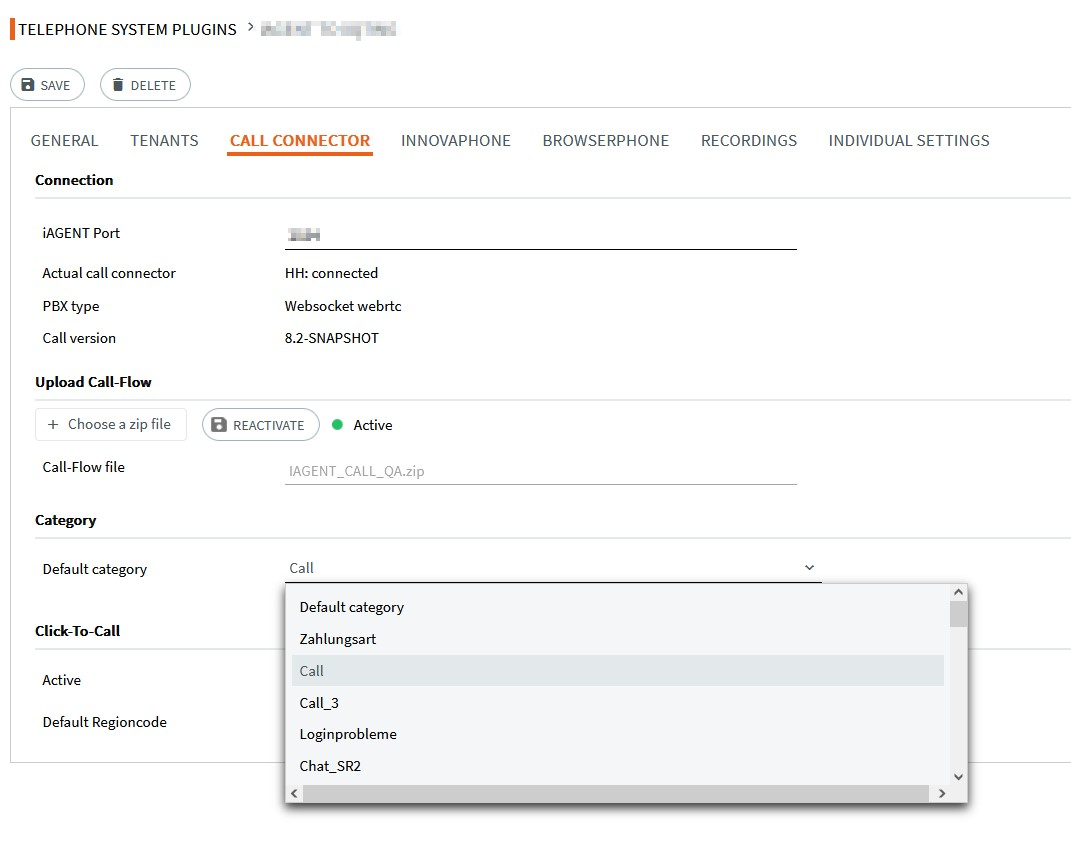
Direct calls, i.e. calls that are received by dialing the respective extension directly on the end device, are now also persisted in no vomind iAGENT. This means that these calls now also have a category. The category for incoming direct calls is set to the default category selected in the telephone system plug-in.
Filter options for Silent Monitoring
Supervisors now have the option of filtering by specific groups and/or categories (subject areas) in the “Call Silent.
Two additional columns labeled “Group” and “Category” have been added to the overview along with corresponding text filters.

Audio format of call recordings
The file format in which the call recordings are saved has been changed from “.opus” to “.mp3” (default setting). Optionally, the file format can be changed to “.wav” or “.opus (in the IVR config.properties).